
Developer API Documentation
Production REST API endpoints for external stores, inventory synchronization, and webhooks. Connect WooCommerce, Shopify, mobile apps, or custom e-commerce storefronts to load live product catalogs with photos, titles, current prices, previous amounts, and dispatch orders with instant inventory synchronization.
Integration Specifications
- Photo & Price Synchronization: Load high-resolution photo URLs, item titles, categories, live selling price, and previous/original amount for discount badges.
- Authentication: Secure header-based access via
X-API-Key: <your_key>orAuthorization: Bearer <your_key>. - Cross-Origin Resource Sharing (CORS): Frontend JavaScript `fetch()` calls enabled from any authorized origin.
- Multi-Method Checkout: Push customer orders with Cash on Delivery, M-Pesa, or Card settlements.
- Rate Limit: 120 requests per minute per active API key.
Authentication & Security
All API requests must include your store's private API key. Never expose secret keys in client-side public bundles.
| Method | Header Name | Example Format |
|---|---|---|
| Recommended | X-API-Key |
pk_live_your_store_key_here |
| Bearer Token | Authorization |
Bearer pk_live_your_store_key_here |
How to Obtain Your Real Store API Key
Log in to the Supermarket portal, navigate to Admin Settings → Developer API Keys, and generate or copy your production key.
Log in to the Hotel portal, navigate to Hotel Profile / Settings → Hotel Developer API Keys to generate and copy your active key.
Log in to the Laundry portal, navigate to Laundry Settings → Developer API Keys to generate and copy your production key.
curl -X GET "https://mututec.com/api/products.php" \
  -H "X-API-Key: YOUR_API_KEY_HERE" \
  -H "Accept: application/json"
Base URL & Headers
All endpoints are served over standard HTTPS:
https://mututec.com/apiGET /api/products.php
Fetches real-time catalog items including product photo URLs, current prices, previous amounts (for crossed-out discount badges), and stock status.
Query Parameters
| Parameter | Type | Default | Description |
|---|---|---|---|
category |
string | none | Filter products by category (e.g. Beverages, Dairy). |
search |
string | none | Search term matching product name or barcode. |
in_stock |
boolean | all | Set true to return only items with available inventory. |
limit |
integer | 100 |
Maximum items per page (maximum 200). |
offset |
integer | 0 |
Pagination offset index. |
Response Schema (JSON)
{
  "success": true,
  "store": {
    "id": "STORE_TENANT_ID",
    "name": "Authenticated Merchant Name"
  },
  "meta": {
    "total": 48,
    "limit": 2,
    "offset": 0,
    "count": 2
  },
  "products": [
    {
      "id": "PRD001",
      "name": "Specialty Roast Arabica Coffee 500g",
      "barcode": "6001234567890",
      "category": "Beverages",
      "current_price": 750.00,
      "previous_price": 890.00,
      "currency": "KES",
      "photo_url": "https://mututec.com/api/../assets/uploads/products/coffee_sample.png",
      "stock_quantity": 42,
      "in_stock": true,
      "unit": "Pack",
      "description": "Artisan roasted whole bean Arabica coffee",
      "updated_at": "2026-09-29 10:00:00"
    },
    {
      "id": "PRD002",
      "name": "Pure Raw Wild Forest Honey 1kg",
      "barcode": "6001234567891",
      "category": "Pantry",
      "current_price": 1200.00,
      "previous_price": 1400.00,
      "currency": "KES",
      "photo_url": "https://mututec.com/api/../assets/uploads/products/honey_sample.png",
      "stock_quantity": 28,
      "in_stock": true,
      "unit": "Jar",
      "description": "100% natural unpasteurized amber honey",
      "updated_at": "2026-09-29 10:00:00"
    }
  ]
}
E-Commerce Storefront Showcase
Frontend developers can present products with image, title, crossed-out original amount, current discounted price, and direct checkout:
Showcase Frontend Display Preview
Sample rendering of products with strike-through previous price and live current price:
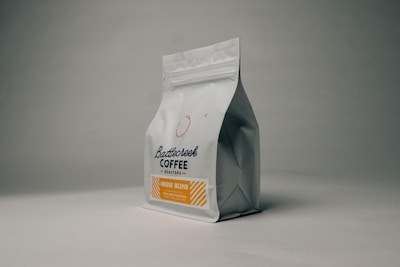
Specialty Arabica Coffee 500g
Raw Wild Forest Honey 1kg
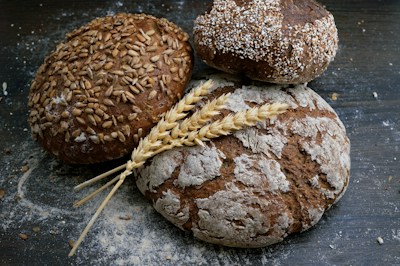
Artisan Sourdough Loaf
POST /api/orders.php
Submit online customer orders directly to store inventory and cashier fulfillment queues.
Payload Schema
{
  "customer": {
    "name": "Jane Mwangi",
    "phone": "+254712345678",
    "email": "jane@example.com",
    "delivery_address": "Apartment 4B, Kilimani Road, Nairobi"
  },
  "payment_method": "cash",
  "notes": "Deliver before 2:00 PM",
  "items": [
    { "product_id": "PRD001", "quantity": 2 }
  ]
}
Response Schema (201 Created)
{
  "success": true,
  "message": "Order successfully placed!",
  "order": {
    "order_id": "ORD-260929-8A5CEB",
    "status": "confirmed",
    "total_amount": 1500.00,
    "currency": "KES",
    "payment_method": "cash",
    "items_count": 1,
    "estimated_ready": "Within 30-45 minutes"
  }
}
Hotel Dining & Bar Menu API
When integrated with a hotel tenant (e.g. HT-001), the products endpoint synchronizes restaurant dishes, cocktail bars, chef specials, uploaded dish photos, current prices, previous amounts (for strikethrough promotions), and enforces 0% tax compliance.
{
  "success": true,
  "store_id": "HT-001",
  "store_name": "Grand Azure Hotel & Suites",
  "total_items": 12,
  "products": [
    {
      "id": "HT-PRD-001",
      "name": "Artisan Wagyu Burger",
      "category": "Main Courses",
      "current_price": 1250.00,
      "previous_price": 1450.00,
      "currency": "KES",
      "photo_url": "https://mututec.com/api/../assets/uploads/HT-001/menu/dish_01.jpg",
      "stock_quantity": 100,
      "in_stock": true,
      "unit": "Portion",
      "tax_exempt": true,
      "description": "Brioche bun, caramelized onions, smoked aged cheddar, truffle fries"
    }
  ]
}
Rooms Inventory & Live Availability API
Query guest rooms, real-time availability, nightly rates, amenities, and floor allocations for external hotel booking engines and OTAs:
| Query Parameter | Type | Default | Description |
|---|---|---|---|
status | string | all | Filter by status: available, occupied, cleaning |
category | string | — | Filter by room category (e.g. Standard Deluxe, Executive Suite) |
{
  "success": true,
  "store_id": "HT-001",
  "total_rooms": 12,
  "count": 2,
  "rooms": [
    {
      "room_number": "101",
      "category": "Standard Deluxe",
      "floor": 1,
      "rate_per_night": 5000.00,
      "currency": "KES",
      "status": "available",
      "is_available": true,
      "amenities": ["Wi-Fi", "Smart TV", "AC", "Mini-Bar"]
    },
    {
      "room_number": "201",
      "category": "Executive Suite",
      "floor": 2,
      "rate_per_night": 12500.00,
      "currency": "KES",
      "status": "available",
      "is_available": true,
      "amenities": ["Wi-Fi", "Smart TV", "AC", "Ocean View Balcony", "Jacuzzi"]
    }
  ]
}
Create Room Booking & Check-In API
Submit guest room reservations with instant room occupancy allocation and M-Pesa STK push payment dispatch:
{
  "guest_name": "Dr. Angela Waweru",
  "phone": "+254722112233",
  "email": "angela@hospital.org",
  "room_number": "101",
  "check_in": "2026-10-01",
  "check_out": "2026-10-04",
  "deposit_amount": 5000.00,
  "payment_method": "mpesa"
}
Laundry Garments & Service Pricing API
Retrieve the live laundry garments catalog, turnaround lead times, fabric color swatches, and rate multipliers across service types (Wash & Fold, Dry Clean, Wash & Press, Iron Only) and Express priority:
{
  "success": true,
  "store_id": "LND-001",
  "store_name": "FreshMart Laundry & Dry Cleaners",
  "business_type": "laundry",
  "total_items": 16,
  "products": [
    {
      "id": "LND-001",
      "name": "Men's Business Shirt",
      "category": "men",
      "current_price": 150.00,
      "turnaround_hours": 24,
      "image_url": "https://mututec.com/api/../assets/img/laundry/shirt.svg",
      "supported_services": [
        { "name": "Wash & Fold", "multiplier": 1.0 },
        { "name": "Dry Clean", "multiplier": 1.5 },
        { "name": "Wash & Press", "multiplier": 1.2 },
        { "name": "Iron Only", "multiplier": 0.7 }
      ]
    },
    {
      "id": "LND-002",
      "name": "Two-Piece Executive Suit",
      "category": "men",
      "current_price": 500.00,
      "turnaround_hours": 48,
      "image_url": "https://mututec.com/api/../assets/img/laundry/suit.svg"
    }
  ]
}
Garment Intake & Claim Ticket API
Submit customer garment intake tickets from mobile apps, concierge desks, or drop-off kiosks with multi-channel payment reconciliation (Cash, PayHero M-Pesa STK push, Card, or Split):
{
  "tenant": "LND-001",
  "customer_name": "Esther Wanjiku",
  "customer_phone": "0712345678",
  "room_number": "Suite 402",
  "payment_method": "split",
  "split_cash": 300.00,
  "split_mpesa": 500.00,
  "mpesa_ref": "QKL89XYZ12",
  "items": [
    {
      "id": "LND-001",
      "name": "Men's Business Shirt",
      "service": "Wash & Press",
      "priority": "Express",
      "color": "Blue",
      "qty": 2,
      "unit_price": 270.00,
      "total": 540.00
    },
    {
      "id": "LND-003",
      "name": "Formal Trousers",
      "service": "Dry Clean",
      "priority": "Standard",
      "color": "Black",
      "qty": 1,
      "unit_price": 260.00,
      "total": 260.00
    }
  ],
  "subtotal": 800.00,
  "total": 800.00
}{
"success": true,
"order_id": "LND-2610-0042",
"receipt_number": "LND-2610-0042",
"status": "intake",
"ready_date": "Wed, Oct 8, 2026 @ 2:00 PM",
"item_count": 3,
"total_amount": 800.00,
"payment_status": "paid",
"claim_url": "https://mututec.com/receipt?id=LND-2610-0042"
}Order Stages & Processing Workflow API
Track the live operational status of garments across processing stages: intake → washing → ironing → ready → collected:
{
  "success": true,
  "order_id": "LND-2610-0042",
  "stage": "ready",
  "stage_label": "Ready for Collection",
  "customer_name": "Esther Wanjiku",
  "piece_count": 3,
  "ready_since": "2026-10-07T16:30:00+03:00",
  "collected": false
}
AI Intelligence & Agent Integration API
Connect your custom AI agents, LangChain/LlamaIndex pipelines, OpenAI Custom GPTs, WhatsApp chatbots, or internal business intelligence models directly to your live store data.
Supported AI Actions
| Action | Method | Parameters | Purpose |
|---|---|---|---|
ask (default) |
POST / GET | query: string |
Natural language reasoning grounded against your store's real catalog, sales, and inventory data. |
text / copywriting |
POST | prompt, task, tone |
Generate marketing SMS blasts, customer WhatsApp broadcasts, promotional emails, product descriptions, or translations. |
chat / general |
POST | prompt or messages |
Open-domain conversational AI and reasoning for custom chatbots, business strategy, coding, and general Q&A. |
catalog_context |
GET / POST | action=catalog_context |
Token-compact JSON schema containing live items, prices, and stock status formatted for LLM system prompts. |
analytics_context |
GET / POST | action=analytics_context |
Real-time store telemetry: today's revenue, order counts, top 5 selling items, out-of-stock and low-stock alerts. |
1. Ask AI with Real-Time Store Grounding
{
  "action": "ask",
  "query": "Which cooking oil items are in stock, what are their prices, and what is our total revenue today?"
}{
"success": true,
"store_id": "SM-001",
"query": "Which cooking oil items are in stock, what are their prices, and what is our total revenue today?",
"answer": "Based on FreshMart Supermarket's live catalog: We currently have Fresh Fri Cooking Oil 2L in stock at KES 620.00 (34 units available) and Rina Vegetable Oil 1L at KES 340.00 (18 units available). Today's total store revenue stands at KES 14,850.00 across 23 customer orders.",
"model": "meta/llama-3.1-70b-instruct",
"timestamp": "2026-10-26T10:38:11+03:00"
}2. Integrate with Python LangChain / OpenAI Client
import requests

API_KEY = "YOUR_API_KEY_HERE"  # Obtain from your Supermarket, Hotel, or Laundry admin settings
BASE_URL = "https://mututec.com/api/ai.php"

# Query the store brain directly
response = requests.post(
    BASE_URL,
    headers={"X-API-Key": API_KEY, "Content-Type": "application/json"},
    json={
        "action": "ask",
        "query": "Give me restock recommendations based on low inventory and today's top sellers."
    }
)

ai_insight = response.json()
print("AI Response:", ai_insight["answer"])
Interactive API Playground
Test live API calls safely. Paste your API Key below to fetch your store's authenticated products:
Live Endpoint Tester
Latency: —Integration Code Samples
Ready-to-use snippets across 10 programming languages & frameworks:
const API_KEY = 'YOUR_API_KEY_HERE';
const BASE_URL = 'https://mututec.com/api';

// 1. Fetch live products
async function getProducts() {
  const res = await fetch(`${BASE_URL}/products.php?in_stock=true`, {
    headers: {
      'X-API-Key': API_KEY,
      'Accept': 'application/json'
    }
  });
  const data = await res.json();
  data.products.forEach(p => {
    console.log(`${p.name} - KES ${p.current_price} (Original: KES ${p.previous_price})`);
  });
}

// 2. Submit cash order
async function createCashOrder(items, customer) {
  const res = await fetch(`${BASE_URL}/orders.php`, {
    method: 'POST',
    headers: {
      'X-API-Key': API_KEY,
      'Content-Type': 'application/json'
    },
    body: JSON.stringify({ customer, payment_method: 'cash', items })
  });
  return await res.json();
}import axios, { AxiosResponse } from 'axios';
interface Product {
id: string;
name: string;
current_price: number;
previous_price: number;
photo_url: string;
stock_quantity: number;
in_stock: boolean;
}
const client = axios.create({
baseURL: 'https://mututec.com/api',
headers: { 'X-API-Key': 'YOUR_API_KEY_HERE' }
});
export async function fetchCatalog(): Promise<Product[]> {
const response: AxiosResponse<{ products: Product[] }> = await client.get('/products.php');
return response.data.products;
}import requests
API_KEY = "YOUR_API_KEY_HERE"
HEADERS = {"X-API-Key": API_KEY, "Accept": "application/json"}
# Fetch products
resp = requests.get("https://mututec.com/api/products.php", headers=HEADERS)
products = resp.json().get("products", [])
for item in products:
print(f"[{item['id']}] {item['name']} - Current: KES {item['current_price']} (Was: KES {item['previous_price']})")<?php
$apiKey = 'YOUR_API_KEY_HERE';
$ch = curl_init('https://mututec.com/api/products.php');
curl_setopt_array($ch, [
CURLOPT_RETURNTRANSFER => true,
CURLOPT_HTTPHEADER => [
'X-API-Key: ' . $apiKey,
'Accept: application/json'
]
]);
$response = curl_exec($ch);
$data = json_decode($response, true);
if (!empty($data['products'])) {
foreach ($data['products'] as $p) {
echo "{$p['name']} - KES {$p['current_price']} (Was KES {$p['previous_price']})<br>";
}
}
curl_close($ch);const https = require('https');
const options = {
hostname: 'mututec.com',
path: '/api/products.php',
method: 'GET',
headers: {
'X-API-Key': 'YOUR_API_KEY_HERE',
'Accept': 'application/json'
}
};
const req = https.request(options, (res) => {
let body = '';
res.on('data', chunk => body += chunk);
res.on('end', () => {
const data = JSON.parse(body);
console.log(data.products);
});
});
req.on('error', console.error);
req.end();package main
import (
"fmt"
"io"
"net/http"
)
func main() {
client := &http.Client{}
req, _ := http.NewRequest("GET", "https://mututec.com/api/products.php", nil)
req.Header.Set("X-API-Key", "YOUR_API_KEY_HERE")
req.Header.Set("Accept", "application/json")
resp, err := client.Do(req)
if err != nil { panic(err) }
defer resp.Body.Close()
body, _ := io.ReadAll(resp.Body)
fmt.Println(string(body))
}import okhttp3.*;
import java.io.IOException;
public class ApiClient {
public static void main(String[] args) throws IOException {
OkHttpClient client = new OkHttpClient();
Request request = new Request.Builder()
.url("https://mututec.com/api/products.php")
.get()
.addHeader("X-API-Key", "YOUR_API_KEY_HERE")
.addHeader("Accept", "application/json")
.build();
try (Response response = client.newCall(request).execute()) {
System.out.println(response.body().string());
}
}
}using System;
using System.Net.Http;
using System.Threading.Tasks;
class Program {
static async Task Main() {
using var client = new HttpClient();
client.DefaultRequestHeaders.Add("X-API-Key", "YOUR_API_KEY_HERE");
var response = await client.GetAsync("https://mututec.com/api/products.php");
var content = await response.Content.ReadAsStringAsync();
Console.WriteLine(content);
}
}require 'net/http'
require 'uri'
require 'json'
uri = URI.parse("https://mututec.com/api/products.php")
request = Net::HTTP::Get.new(uri)
request["X-API-Key"] = "YOUR_API_KEY_HERE"
request["Accept"] = "application/json"
response = Net::HTTP.start(uri.hostname, uri.port, use_ssl: uri.scheme == 'https') do |http|
http.request(request)
end
puts JSON.parse(response.body)# 1. Fetch Products
curl -X GET "https://mututec.com/api/products.php?limit=10" \
-H "X-API-Key: YOUR_API_KEY_HERE"
# 2. Place Order
curl -X POST "https://mututec.com/api/orders.php" \
-H "X-API-Key: YOUR_API_KEY_HERE" \
-H "Content-Type: application/json" \
-d '{
"customer": { "name": "Mary W.", "phone": "+254711223344" },
"payment_method": "cash",
"items": [ { "product_id": "PRD001", "quantity": 1 } ]
}'HTTP Status Codes & Error Handling
Standard HTTP status codes are returned to indicate the outcome of API calls:
| Status Code | Meaning | Troubleshooting & Resolution |
|---|---|---|
200 OK |
Success | Products retrieved successfully. |
201 Created |
Order Placed | Order was confirmed and inventory deducted. |
401 Unauthorized |
Missing / Invalid Key | Provide your valid key via X-API-Key or Authorization: Bearer header. |
403 Forbidden |
Revoked Key | The key has been revoked by the merchant administrator. |
422 Unprocessable |
Validation Failed | Invalid payload, insufficient product stock, or unknown product ID. |
429 Too Many Requests |
Rate Limit Exceeded | Exceeded 120 req/min. Implement exponential backoff. |
Developer Support
For technical queries, webhook registrations, or dedicated API rate limit increases, contact platform engineering at software1develope09@gmail.com.